
Turn the TV You Already Own Into the Family Calendar
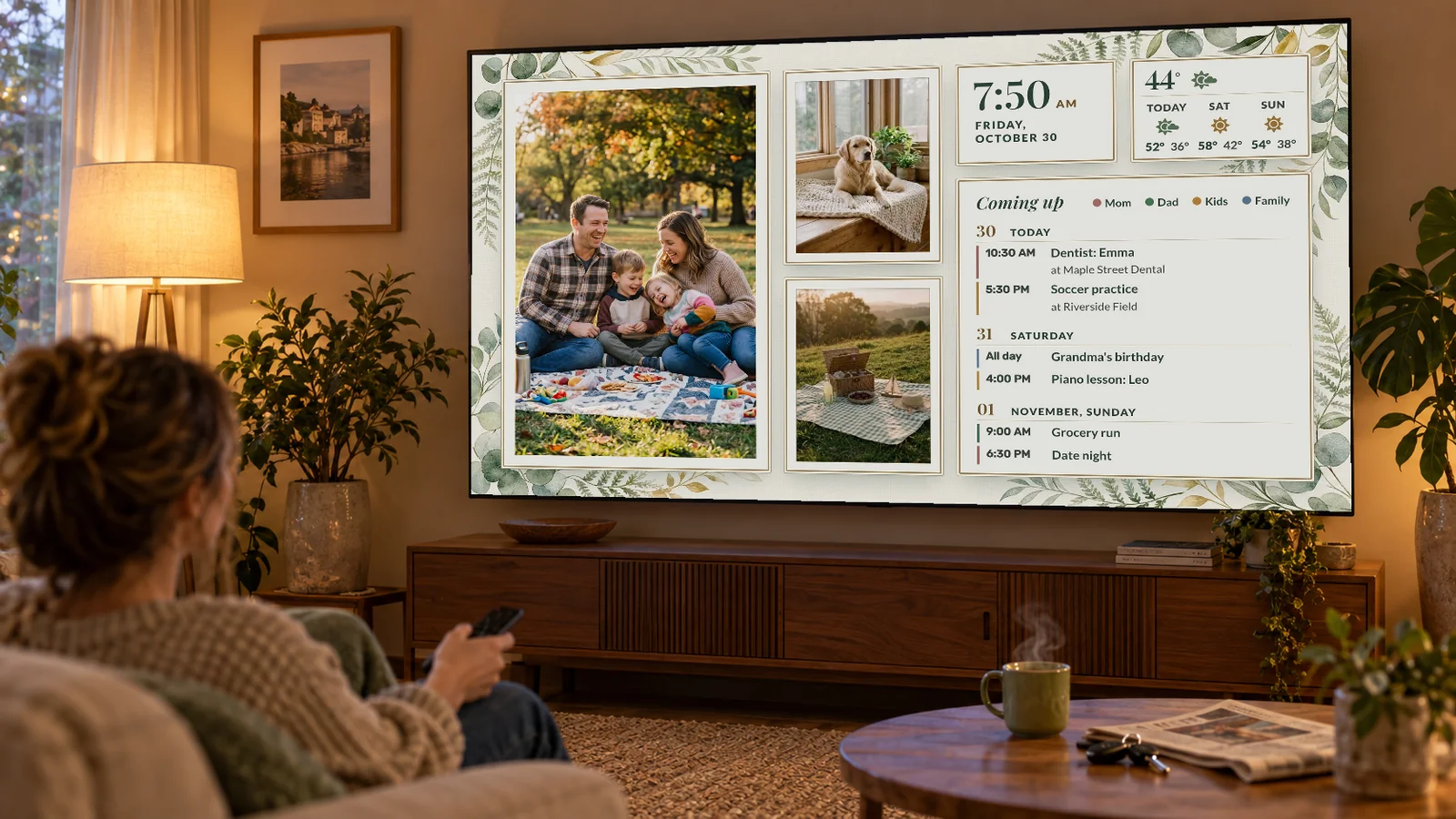
The biggest screen in the house sits dark most of the day. DAKboard is a calendar app for a smart TV. It shows your family's Google, Apple or Outlook calendars, the weather and your photos, and keeps itself up to date. Most TVs need nothing but the app or their own browser.
Free forever plan, no credit card needed. No proprietary hardware.
The same TV, doing something useful between shows.
Loved by 300,000+ Families Worldwide
Does Your TV Run It, or Does It Need a Stick?
Three answers, and all of them end with your family's week on the TV. None of them involve buying a screen.
Fire TV and Android TV
A DAKboard app, installed the way you install anything else. Fire TV from the Amazon Appstore, Android TV from the Play Store. Sign in once and the screen is yours.
- A Fire TV calendar app and an Android TV calendar app, both native
- Works the same on a Fire TV Stick, so a Firestick calendar app needs nothing extra
- Free plan, no credit card
Samsung and LG
No app needed. Samsung and LG smart TVs have their own web browser, so you open DAKboard in it, sign in, and leave the screen up.
- Nothing to buy and nothing to install
- Works on any Samsung or LG set with the built-in browser
- Free plan, no credit card
Roku, Apple TV and older sets
Roku and Apple TV have no web browser, and an older television doesn't either, so the spare HDMI port does the work instead.
- An Android TV stick from any big box store, under $50
- Or a DAKboard CPU from $99.95, preconfigured, nothing to set up
- Switch the input back and the TV is a TV again
Way More Than a Calendar App for Smart TV
A TV is a big, bright, legible screen that everyone already walks past. It makes a better family board than anything you could buy for it.
Everyone's calendars, merged
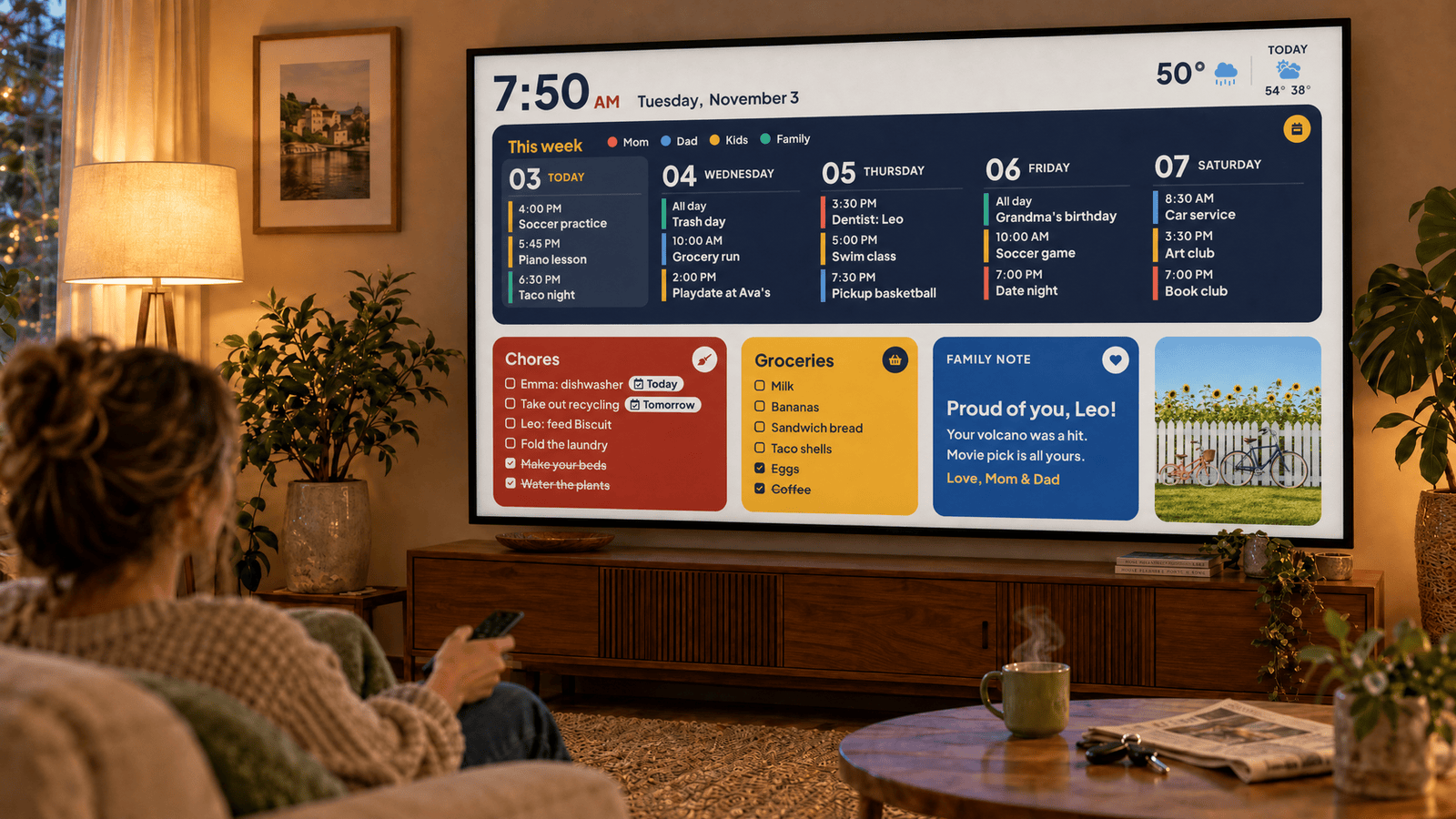
Google Calendar, Outlook and Office 365, Apple iCloud, Cozi, TeamSnap and any iCal link, in one view with a color for each person.
Your photos on the big screen
Pictures sync themselves from Google Photos or Apple Photos, so the living room TV becomes the best photo frame in the house between appointments.
90+ integrations
The forecast with alerts and live radar, to-do lists, and full-screen Home Assistant on every plan including Free. On a TV that is a live view rather than a control panel, because a TV is not a touchscreen.
Nobody has to maintain it
It updates itself from the calendars you already keep. No one rewrites anything on a Sunday night.

Up and Running in Under 15 Minutes
You already own the screen. The rest is an account and five minutes with the remote.

Create a free account
Sign up on your laptop and connect the calendars your household keeps, including the school and team links.

Design the screen
Pick a ready-made layout, or with Essential or Plus arrange the blocks and colors yourself so it reads from the sofa.
Open it on the TV
Install the app on Fire TV or Android TV, or just open DAKboard in the browser on a Samsung or LG. On a Roku, an Apple TV or an older set, plug a stick into the spare HDMI port first.
Built on Screens People Already Owned
Families running DAKboard on a screen they already had, in the words of our users.
The Mental Load Does Not Have to Live in One Person's Head
When the whole week is on the TV, nobody has to be the family calendar.
Less Asking. More Knowing.
"This was a game-changer for our household! No longer having to copy whiteboard calendars each week for 4 people and a business! Even the kids have learned to check the DAKboard to see what's happening for each one. Life saver!"
Jannette M., verified customer
Worth the Peace of Mind.
"Purchased and spun up DAKboard to help keep some sanity in the house. Super simple to sync up our family's calendars. Had an issue that I couldn't resolve and their support team walked me through the fix within 24 hrs. 5 Stars!"
Jess P., verified customer
It Grows With the Family.
"This is our second DAKboard. Our first died after years of use, and the family collapsed into chaos. We replaced it as quickly as possible because this is essential equipment for a busy family. I recommend wholeheartedly."
Torree M., verified customer
Choose Your Setup
You have the screen. This is only about what drives it.
The TV, plus the app or a stick
On Fire TV or Android TV, install the app and you are done. On a Samsung or LG, open DAKboard in the TV's browser. On a Roku, an Apple TV or an older set, an Android TV stick from any big box store costs under $50.
- Free plan to start, no credit card
- A TV is not a touchscreen, so the chores chart and the touch apps need a touchscreen: a DAKboard Wall Display or any touchscreen tablet
- Switch the input back and it is a television again
Or something preconfigured
A DAKboard CPU, from $99.95, plugs into the same HDMI port and arrives set up, so there is nothing to install. A DAKboard Wall Display, from $699.95, is the version with the screen built in.
- CPU Mini $99.95, CPU v4 $169.95, CPU v5 $199.95
- Works with any TV or monitor with HDMI
- 30-day satisfaction guarantee on the hardware
Got a spare monitor instead of a spare TV? See the monitor setup
Smart TV Calendar Questions, Answered
Is there a DAKboard calendar app for smart TV?
There is a native app for Fire TV, from the Amazon Appstore, and for Android TV. Samsung and LG smart TVs do not need one, because you can open DAKboard in the TV's own web browser. Roku and Apple TV have no browser, so those need an Android TV stick in the spare HDMI port, under $50, or a DAKboard CPU from $99.95.
Can I put Google Calendar on a smart TV?
Yes. Connect Google Calendar to your DAKboard account and it shows on the TV, updating itself. Outlook and Office 365, Apple iCloud, Cozi, TeamSnap and any iCal or ICS link work the same way, each in its own color.
Will it burn the screen or leave the TV on all day?
DAKboard rotates photos and refreshes the layout rather than holding one static image, and most televisions have their own screen saver and sleep settings you can keep using. How long you leave it on is up to you.
Does it stop me watching television?
No. On Fire TV or Android TV it is an app you open and close like any other. On a stick it is a separate HDMI input, so switching back to your TV takes one button.
Is it free?
The free plan covers one screen with ready-made layouts and needs no credit card. Essential and Plus let you build your own layout, choose your colors, use all 90+ integrations and run more than one display from the same account, from only $5 per month.
Can the kids tick off chores on the TV?
Not on a television, because the chores chart needs a touchscreen. That means a DAKboard Wall Display or any touchscreen tablet, an iPad included. On a TV the calendar, photos, weather and your Home Assistant view all work as a live display.
Give the Biggest Screen in the House a Second Job
Free forever plan, no credit card needed, and your family's week on the TV tonight.
"I trashed all paper calendars and built our family's 'command center' on a 42 inch TV in our hallway. I can update our schedules, daily menu and chore chart all from my phone or laptop."
"My life hasn't been the same way since!"
"Say goodbye to the calendar chaos! The DAKboard has been our lifesaver, turning the hectic into harmony."
"Done with the chalkboard calendar and time for a digital one!"
"One of the most asked about projects in my home is this digital family calendar!"
"I have sports scores, sports tickers, guest wifi, weather, there's a lot of things you can customize on this board!"
"Isn't it GREAT?!"
"I got it for my birthday a few months ago and I just LOVE IT!"