
An Electronic Wall Calendar That Syncs With Your Phone
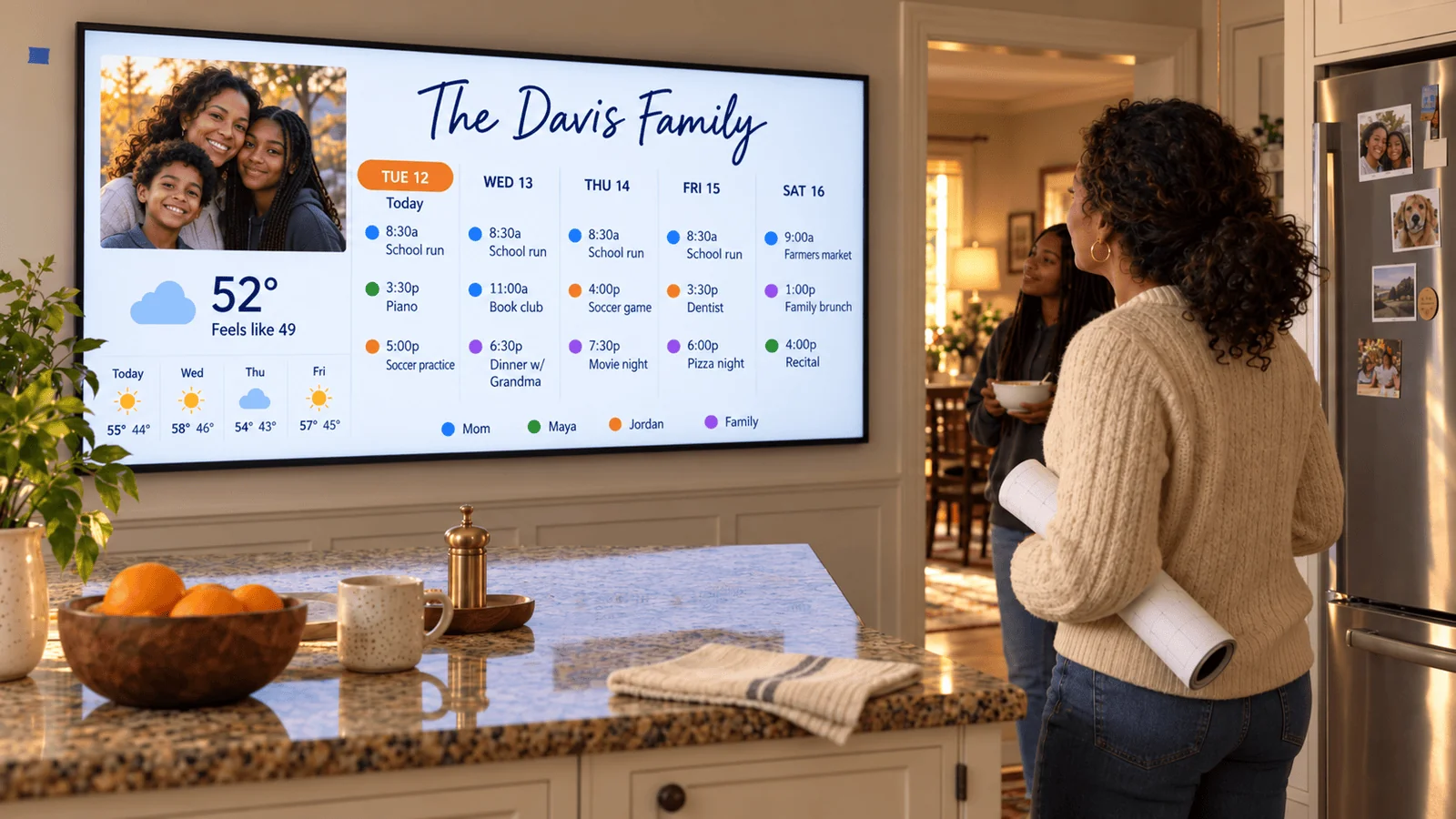
Organize your life by syncing your tasks, appointments, and events. Customize it with colors and your favorite photos. And make it yours by adding over 90 integrations like weather reports, game scores, and your home settings.
30-day satisfaction guarantee on Wall Displays. Free forever software plan, no credit card needed.
Same wall. Nobody has to rewrite it.
Loved by 300,000+ Families Worldwide
What an Electronic Calendar for Wall Use Has to Get Right
A screen on a wall is judged from six feet away, in a hurry, by someone holding a coffee.
It syncs with the phone you already use
Google Calendar, Outlook and Office 365, Apple iCloud, Cozi, TeamSnap and any iCal or ICS link. Add an event in the car and it is on the wall before you get home. Nobody keeps a second calendar.
You can read it from across the room
A digital wall calendar is only useful if it works at a glance. Big type, a color for each person, and a 22-inch or 27-inch screen, so the week lands in a second rather than needing to be studied up close.
Portrait or landscape, your layout
Hang it tall like a wall planner or wide like a calendar board. With Essential or Plus you decide what gets the most space: the month, the week, today's agenda, the photos or the forecast.
More than the calendar
Family photos between the appointments, the forecast with alerts and live radar, shopping lists, meal plans and 90+ integrations, with full-screen Home Assistant on every plan.
Your Paper Calendar Was Never the Problem. Updating It Was.
A paper wall calendar works beautifully for about ten days. Then a practice moves, somebody writes over somebody else, two things end up in the same square, and by the middle of the month it becomes the ghost of what you meant to do.
That's partly because it's always just one person on top of it. An electronic wall calendar fixes that by reading the calendars everyone already keeps, so the wall is correct because their phones are correct, not because anyone sat down with a pen.
- Nothing to rewrite at the start of each month
- No crossings out, and no two events in one square
- Changes made by anyone, on any phone, show up by themselves

Up and Running in Under 15 Minutes
A screen, a DAKboard account, and somewhere to hang it. You may already have two of the three.

Connect your calendars
Create a free account on your laptop and add every calendar the household runs on, including the ones the school and the sports club publish.

Lay out the wall
Pick a ready-made layout, or with Essential or Plus choose portrait or landscape, set everyone's colors and decide how much room the week gets.
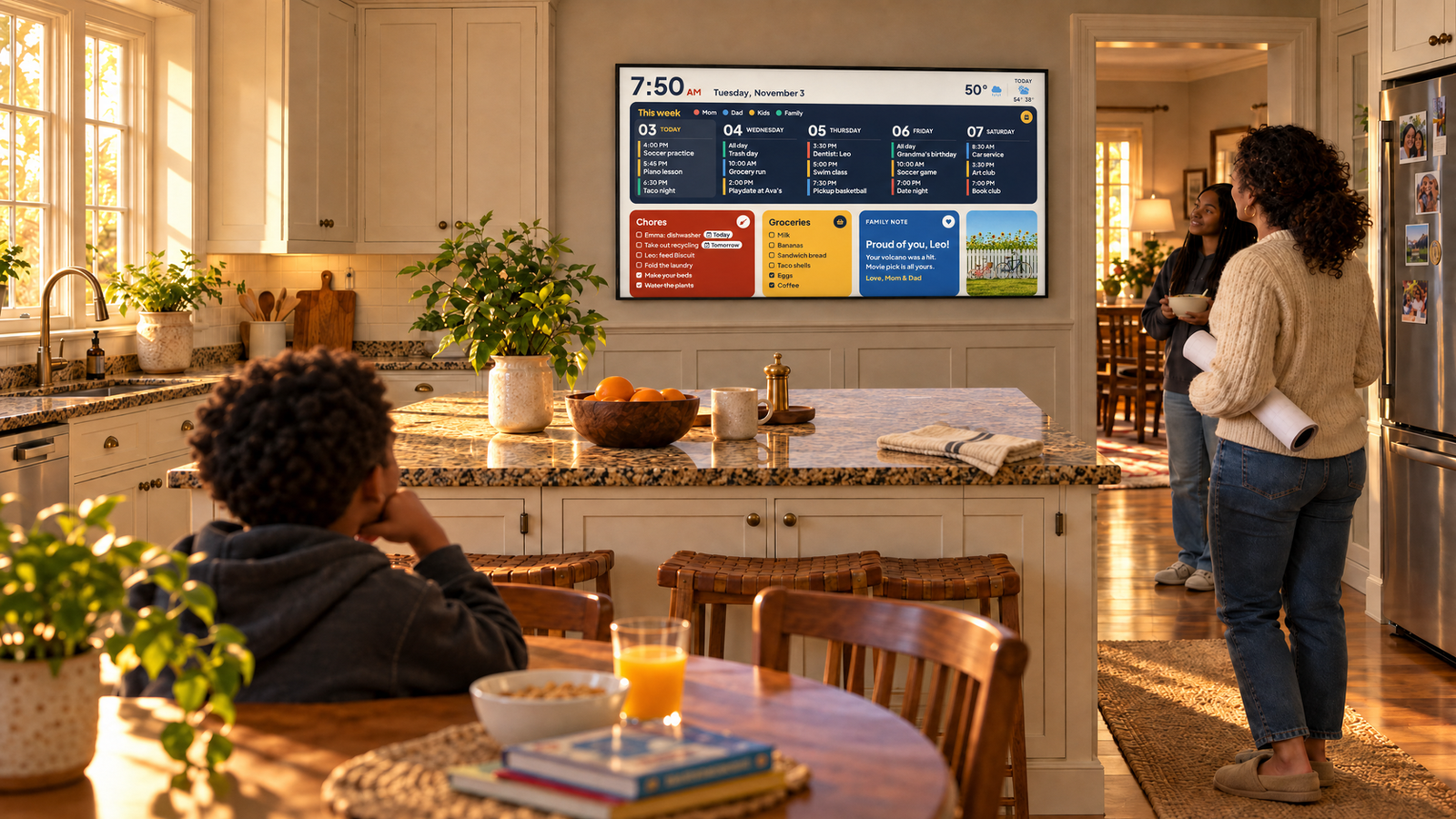
Hang it where the paper one was
Mount the TV you already own on an ordinary bracket and open DAKboard on it (a monitor or an older TV takes a DAKboard CPU), or hang a Wall Display, which arrives preconfigured. From then on the only thing anyone does with it is read it.
See It on Real Walls
Households who put the whole week on the wall, in the words of our users.
The Mental Load Does Not Have to Live in One Person's Head
When the whole week is on the wall, nobody has to be the family calendar.
Less Asking. More Knowing.
"This was a game-changer for our household! No longer having to copy whiteboard calendars each week for 4 people and a business! Even the kids have learned to check the DAKboard to see what's happening for each one. Life saver!"
Jannette M., verified customer
Worth the Peace of Mind.
"Purchased and spun up DAKboard to help keep some sanity in the house. Super simple to sync up our family's calendars. Had an issue that I couldn't resolve and their support team walked me through the fix within 24 hrs. 5 Stars!"
Jess P., verified customer
It Grows With the Family.
"This is our second DAKboard. Our first died after years of use, and the family collapsed into chaos. We replaced it as quickly as possible because this is essential equipment for a busy family. I recommend wholeheartedly."
Torree M., verified customer
Interact with Your Display Using TouchHub
The same screen that shows your photos can be tapped. Check off chores, adjust the lights, and plan the week without leaving the kitchen.
Chores
Turn chores into a family game where everyone can earn points and redeem rewards.
Requires Essential or Plus.
Home Assistant
Adjust your home's lights, locks, or thermostat as you walk by. No need for phones or secondary apps.
Included on every plan, including Free.
Meal Planner
Design weeks of meals in advance, create a shopping list, and get recipe suggestions, all on the same screen.
TouchHub needs a touchscreen. It runs on a DAKboard Wall Display, or on any touchscreen tablet you already own, an iPad included.
Choose Your Setup
Every wall calendar needs a screen and a DAKboard account. A smart TV needs nothing else, and a Wall Display brings everything in one box.
DAKboard Wall Display
From $699.95. A 22-inch or 27-inch touchscreen with the computer and Wi-Fi built in, preconfigured and ready to hang on a standard bracket, in portrait or landscape.
- No tech skills needed, hang it and sign in
- Touch, so the chores chart and touch controls work on the screen
- 30-day satisfaction guarantee
Or mount the TV or monitor you already own
Most monitors and TVs have standard VESA holes on the back, so an ordinary bracket works. Most smart TVs run DAKboard as they are, with nothing to buy. A monitor, or an older TV without a browser, takes a DAKboard CPU from $99.95.
- Nothing to buy for most smart TVs, free plan to start
- Works with any monitor or TV with an HDMI input
- A plain monitor is not a touchscreen, so the chores chart needs a Wall Display or any touchscreen tablet, an iPad included
Want everyone's schedules in one view? See the family calendar setup
Electronic Wall Calendar Questions, Answered
Does an electronic wall calendar sync with my phone?
DAKboard does. Connect Google Calendar, Outlook and Office 365, Apple iCloud, Cozi, TeamSnap or any iCal or ICS link, and whatever you add on your phone appears on the wall by itself. DAKboard displays your calendars rather than replacing them, so nothing changes about how you already add events.
Can I hang it in portrait, like a paper wall planner?
Yes. Portrait and landscape both work, so you can hang it tall where a paper wall planner used to be or wide like a calendar board. With Essential or Plus you also choose the layout, the colors and how much space the calendar gets against the photos and the forecast.
How big does a digital wall calendar need to be?
Big enough to read without walking up to it, which is the whole point of putting it on a wall. DAKboard Wall Displays come in 22-inch and 27-inch sizes, and if you are using a screen you already own, a monitor or an older TV of a similar size works the same way with a DAKboard CPU behind it.
Can I mount it on an ordinary wall bracket?
Yes. A Wall Display mounts on a standard bracket, and most monitors and TVs have standard VESA holes on the back, so an ordinary bracket works for those too. The only other thing it needs is a power socket within reach.
Is there a free plan?
Yes. The free plan covers one screen with ready-made layouts and no credit card. Essential and Plus let you build your own layout, choose your colors, use all 90+ integrations and run more than one display from the same account, from only $5 per month.
Do I need a touchscreen?
Not for the calendar, photos and weather, which work on any screen. The chores chart and the other touch apps need a touchscreen, which means a DAKboard Wall Display or any touchscreen tablet, an iPad included.
Take the Paper One Down
An electronic wall calendar that stays right on its own. 30-day satisfaction guarantee on Wall Displays, and a free forever software plan with no credit card.
"I trashed all paper calendars and built our family's 'command center' on a 42 inch TV in our hallway. I can update our schedules, daily menu and chore chart all from my phone or laptop."
"My life hasn't been the same way since!"
"Say goodbye to the calendar chaos! The DAKboard has been our lifesaver, turning the hectic into harmony."
"Done with the chalkboard calendar and time for a digital one!"
"One of the most asked about projects in my home is this digital family calendar!"
"I have sports scores, sports tickers, guest wifi, weather, there's a lot of things you can customize on this board!"
"Isn't it GREAT?!"
"I got it for my birthday a few months ago and I just LOVE IT!"