
A Digital Bulletin Board for the Breakroom That People Actually Read
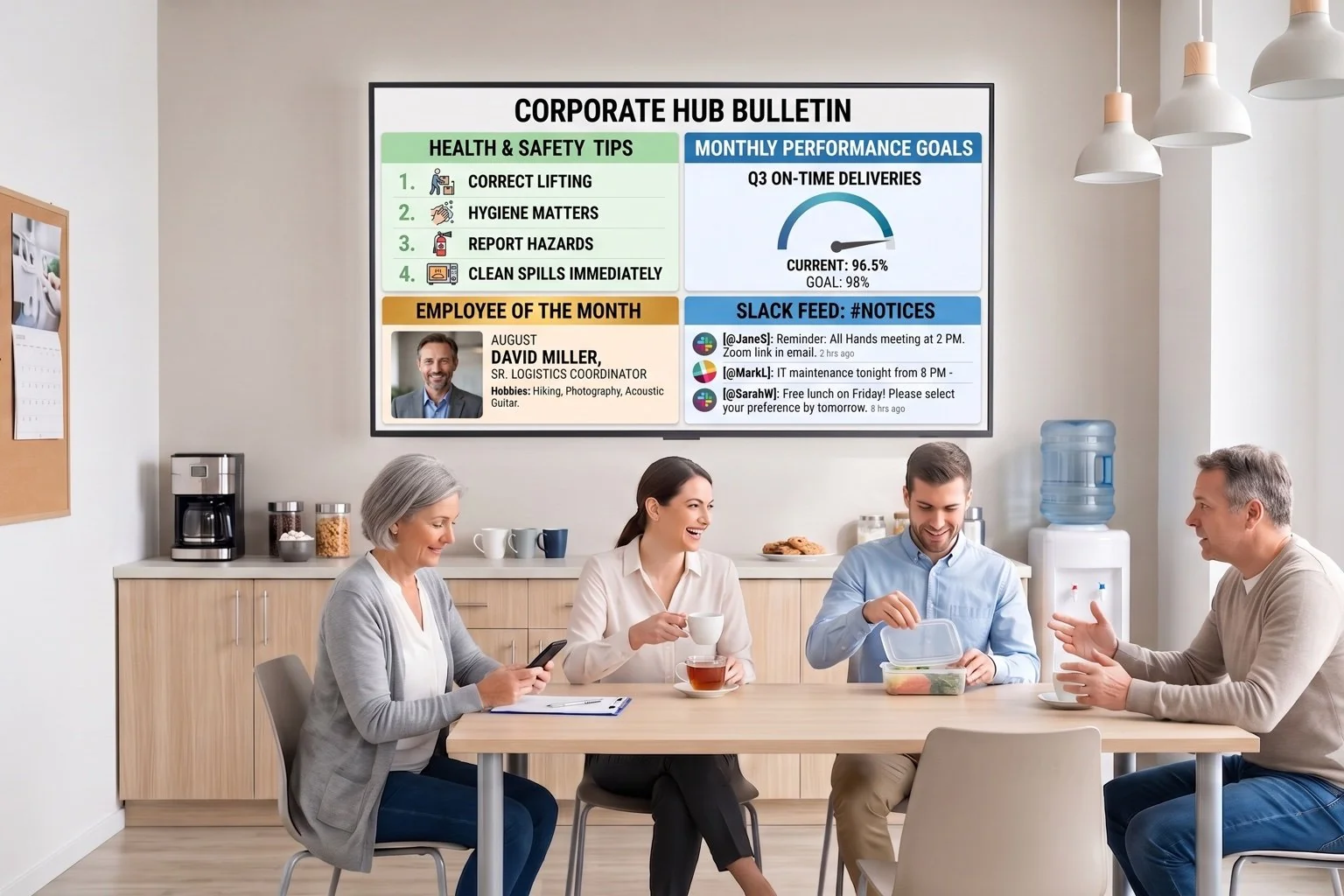
Mount a screen where your team already gathers and give it something worth looking up for. DAKboard rotates announcements, recognition shoutouts, the team calendar, and company news on a set loop, so the news that keeps people aligned does not stay buried in an inbox nobody opens.
No credit card required. No proprietary hardware. Cancel anytime.
A breakroom bulletin board mixing safety tips, performance goals, and team shoutouts.
Trusted on thousands of screens in breakrooms, warehouses, and office kitchens worldwide.
Company Updates Deserve a Better Home Than a Buried Email
Reach People Who Never Check Their Inbox
Frontline staff and shift workers do not sit at a desk all day. A screen in the breakroom catches them on a coffee run, when an all-staff email would sit unread for a week.
Make Recognition Public, Not Private
A shoutout typed into a Text block and put on the wall lands differently than a private message. Recognizing people where teammates can see it builds the kind of culture that keeps good employees from quietly job hunting.
One Screen, Every Kind of Update
Announcements, calendars, Slack updates, and company news do not need four separate boards. Screen Loops rotate between designed screens automatically, so one TV covers everything without clutter.
From Blank Screen to Employee Communication Screen in an Afternoon

Build a few simple screens
Add a Text block for shoutouts, a Scheduled Text block for announcements that need to expire, your team calendar, and a Slack block for the channel where updates already happen.

Set up a Screen Loop
Chain your announcement, recognition, calendar, and news screens into a loop of up to 20 screens, and set how long each one holds before rotating.

Mount it and update from anywhere
Open the private screen URL on the breakroom TV, or add a DAKboard CPU if it has no browser. HR or ops can edit content from a laptop or phone browser without touching the screen itself.
Built to Keep Everyone on the Same Page, Literally
Scheduled Text that expires on its own
Post a notice for a specific window, like open enrollment week, and set it to appear and disappear automatically instead of relying on someone to remember to take it down.
Pull in your team's Slack channel
The Slack block displays a public channel right on the board, refreshing roughly every three minutes, so day-to-day chatter shows up without anyone copying and pasting.
Calendars from wherever your team plans
Connect Google, Outlook, Office 365, iCloud, or any iCal feed so shift schedules and events show up on the board without a second calendar to maintain.
Screen Loops for every audience in one place
Rotate through up to 20 designed screens on one display, so shift calendars, shoutouts, weather, and company news each get their own moment instead of competing for space.
TEAM BOARD
SCREEN LOOP 2 OF 4From $5 Per Screen, Per Month
Essential starts at $5/month per screen billed annually (2 screens included, $4/month each additional). Want Slack refreshing faster and instant push updates when news breaks? Plus starts at $8/month per screen (3 screens included, $5/month each additional). Both include a 30-day free trial, no credit card required.
Compare PlansWhy Teams Choose DAKboard for Internal Communication
"Reliable and easy to manage remotely, with integration with many different calendars."
Breakroom Bulletin Board Questions, Answered
Does DAKboard connect to our HR system or employee directory?
No. DAKboard does not integrate with HR platforms or employee directories. Shoutouts, announcements, and anniversaries are content someone on your team enters directly using Text and Scheduled Text blocks.
How do we rotate between announcements, shoutouts, and the calendar?
Build each as its own screen, then chain them together with Screen Loops, available on the Plus plan. You can rotate up to 20 designed screens on one display and control how long each one stays up.
Can we show our team's Slack channel on the board?
Yes. The Slack block displays a public channel and refreshes roughly every three minutes, so quick updates and day-to-day chatter show up without anyone copying messages over by hand.
How often does content update on the screen?
Content is refreshed automatically every 30 minutes on Essential and every 15 minutes on Plus. Plus also lets you push an instant manual refresh to every screen the moment you publish an update.
Who can update the board day to day?
The browser-based editor works from any phone's browser, so an office manager or shift lead can add a shoutout or announcement without installing anything. Staff accounts with role-based permissions let you control who can edit what.
What hardware do we need for a breakroom display?
Any TV, tablet, or monitor with a web browser works. If your breakroom TV has no browser or Wi-Fi, add a plug-and-play DAKboard CPU from $99. No proprietary hardware required.
Give Company News a Place People Actually Stop and Read
Replace the cork board and the ignored email blast with one screen that keeps the whole team aligned. Set up your first breakroom board in an afternoon, free for 30 days.
Start For Free