
Dental Office Digital Signage That Fills Waiting-Room Minutes
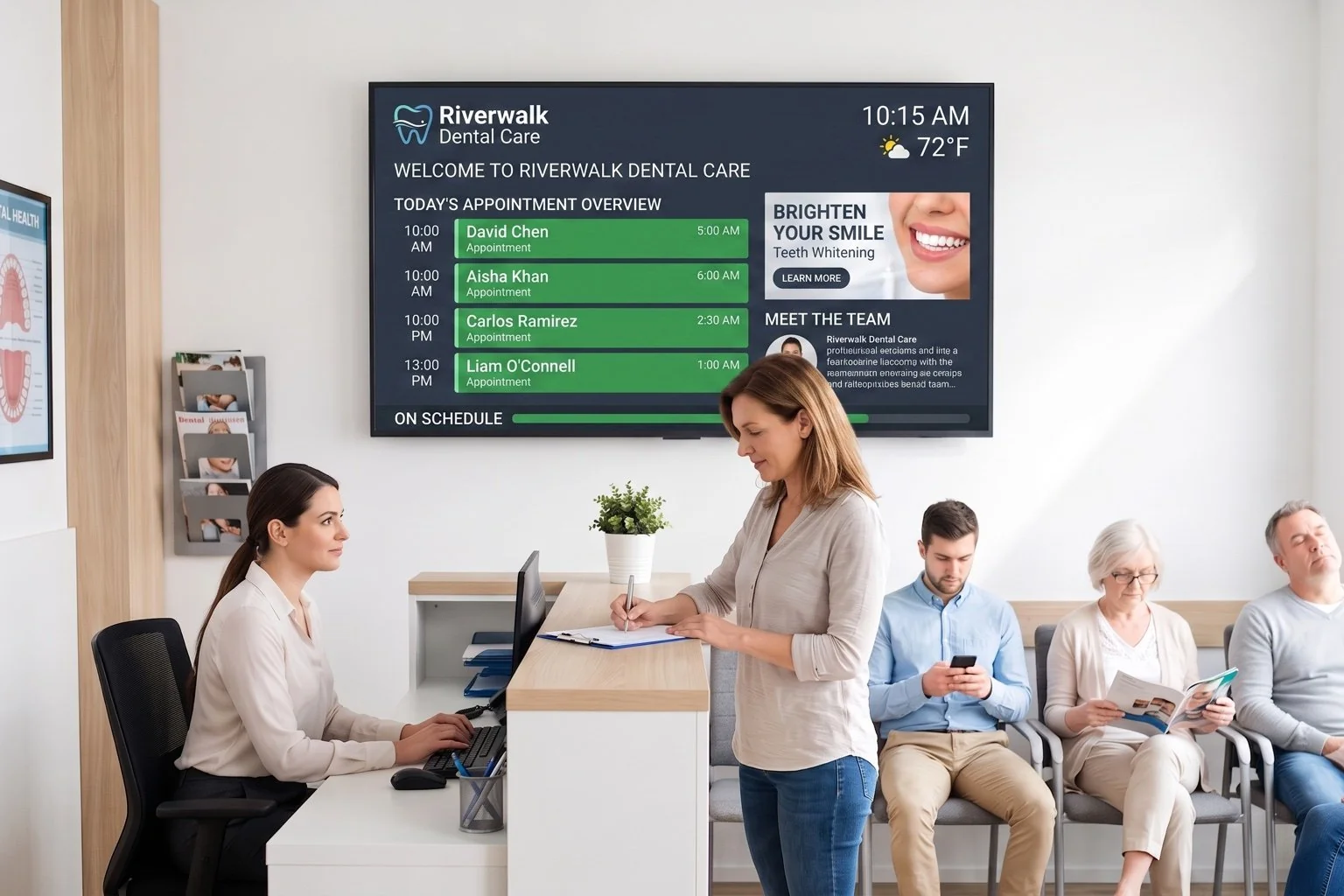
Swap the poster rack for a dental waiting room TV your front desk controls. Rotate whitening specials, Invisalign info, and office hours between appointments, all typed in by staff, never pulled from a patient chart.
No credit card required. No proprietary hardware. Cancel anytime.
A reception screen showing today's appointment overview alongside a service promotion.
Trusted on thousands of screens in dental practices, waiting rooms, and front offices worldwide.
Retire the Laminated Poster and the Cable News Feed
Highlight Services You Choose
Put whitening, Invisalign, or cosmetic bonding on screen the way a poster would, except your team can swap it out in minutes. It's general practice information you decide to show, not anything tied to an individual patient's chart.
Front Desk Updates It, Not IT
The drag-and-drop editor works in any browser, no app install, no design skills required. Change a promotion or a holiday closure notice from the front desk computer during a slow afternoon.
Make Waiting Feel Shorter
A dental waiting room TV that mixes practice news, hours, weather, and a rotating staff tip gives patients something to look at besides the clock. Calmer patients, fewer "how much longer" questions at the desk.
From Empty Wall to Waiting Room Screen in an Afternoon

Build your screen
Drag on text blocks for services and hours, drop in photos from the Media Library, and add your logo and colors with custom CSS. No template locks you into someone else's layout.

Add the practice details
Enter office hours, a scheduled text block for seasonal promotions, and a calendar feed for closures. Everything updates automatically throughout the day, so nobody has to remember to refresh it.

Mount it in reception
Open the private screen URL on any TV, tablet, or monitor with a browser, or plug in a DAKboard CPU if the screen has neither. Manage multiple screens from one login.
Built for a Reception Desk, Not an IT Department
Media Library for practice photos
Upload practice photos or team photos the office has permission to use, and place them next to your service copy for a warmer feel than a printed flyer.
Scheduled text for time-limited offers
Set a whitening promotion or a holiday notice to appear and disappear on its own with the Scheduled Text block, so nobody has to remember to take down an expired offer.
Calendar-driven office hours and closures
Connect a Google, Outlook, or iCloud calendar to show upcoming closures or staff training days, refreshed automatically without anyone editing the screen by hand.
Screen Loops for multiple messages
Rotate between a services screen, a staff-spotlight screen, and an hours-and-weather screen on the same display, so the waiting room never looks static.
BRIGHTSIDE FAMILY DENTAL
Now Welcoming New PatientsFrom $5 Per Screen, Per Month
Essential starts at $5/month per screen billed annually (2 screens included, $4/month each additional), enough for a single reception TV. Practices running screens in reception and each operatory often move to Plus, from $8/month per screen (3 screens included, $5/month each additional), with 15-minute refresh. Both plans include a 30-day free trial, no credit card required.
Compare PlansDental Waiting Room TV Questions, Answered
Does DAKboard connect to our practice management or patient records software?
No. DAKboard doesn't integrate with practice management or patient record systems, and nothing shown on screen is pulled from a patient chart. Everything you display, service information, hours, or promotions, is typed in or scheduled by your staff, the same way you'd update a printed sign.
Is this targeted marketing based on a patient's treatment history?
No. DAKboard displays general practice content that your team chooses to show to everyone in the waiting room, like a poster or brochure would, just easier to update. It isn't connected to any patient data and doesn't personalize what a specific person sees.
How often does the screen update?
Content refreshes automatically every 30 minutes on Essential and every 15 minutes on Plus, with an instant manual push to every screen available on Plus. It's not a live feed, so plan on it as a steadily updating info screen rather than a real-time ticker.
Who updates the screen day to day?
Anyone you give access to, usually the office manager or front desk lead. The editor is browser-based, so it opens on the reception computer without installing anything, and staff accounts with role-based permissions let you control who can make changes.
What hardware do we need for a dental office digital signage screen?
Any TV, tablet, or monitor with a web browser works. If a waiting room TV doesn't have a browser or Wi-Fi, a plug-and-play DAKboard CPU (from $99) handles it. No proprietary hardware required.
Can we run different screens in the waiting room and in operatories?
Yes. Each screen can run its own design, so reception might show service highlights and hours while an operatory ceiling screen runs something calmer. Manage every screen from a single account, with bulk screen management on Plus.
Give Your Waiting Room Something Worth Looking At
Build a screen that reflects your practice, staffed and updated by your own front desk, not an ad network. Set up your first design in an afternoon, free for 30 days.
Start For Free