
Coworking Space Digital Signage for Every Member Who Walks In
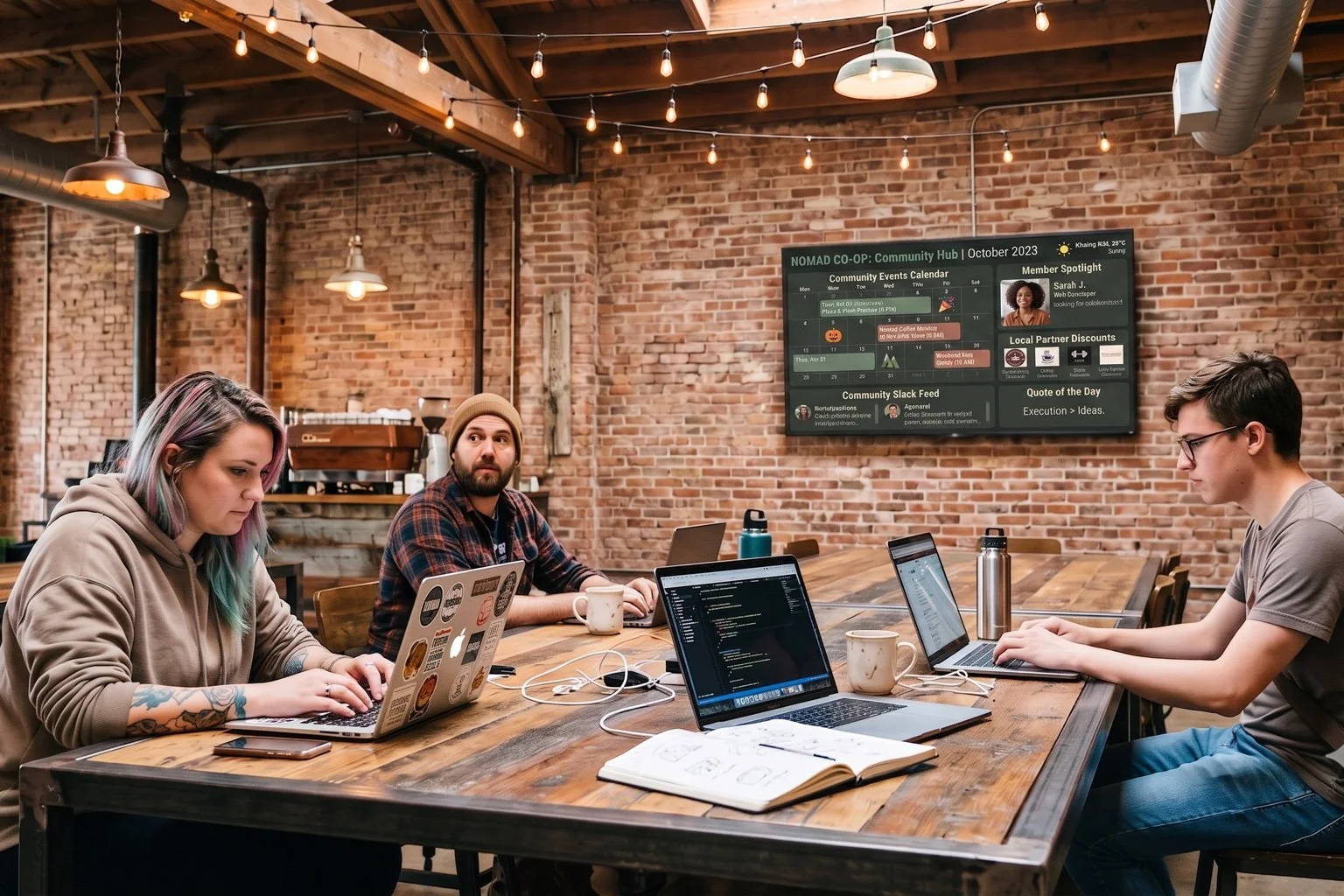
Give your members one screen by the entrance instead of a cluttered corkboard. DAKboard rotates community events, member shoutouts, meeting room availability, and wifi details on a loop, so operations managers can update the whole space from a laptop instead of reprinting flyers.
No credit card required. No proprietary hardware. Cancel anytime.
A community hub screen with events, member spotlights, and local partner discounts.
Trusted on screens in coworking spaces, shared offices, and member communities worldwide.
Replace the Corkboard With a Shared Office Notice Board That Updates Itself
Keep Members in the Loop
Coffee hours, workshops, demo nights, and member happy hours all live in one calendar today, buried in an email nobody opens. Pull that same Google or Outlook calendar onto a lobby screen and members see what's happening without digging.
One Screen, Several Jobs
A single display can't be an events calendar, a member wall, and a wifi sign all at once, at least not on paper. Screen Loops rotate between designed screens automatically, so the same TV covers events, shoutouts, and practical info in turn.
Cut the Ops Manager's Workload
No more printing signs or walking around swapping out flyers between locations. Edit the screen once in a browser and every display connected to it updates on its own, freeing up time for the parts of running a coworking space that actually need a human.
Set Up Your Coworking Space Digital Signage in an Afternoon

Design each screen
Build a screen for events, one for member shoutouts, one for wifi and house rules. Connect your community calendar and drop in photos from the Media Library, no design experience needed.

Set the loop and timing
Group your screens into a Screen Loop and set how long each one holds before rotating to the next. One entrance TV now handles everything a corkboard used to.

Mount and manage remotely
Open the private screen URL on any TV or tablet with a browser, or add a plug-and-play DAKboard CPU if it doesn't have one. Update the content from anywhere, and it reaches every location on the account.
Built for the Way a Shared Workspace Actually Runs
Screen Loops for a multi-purpose lobby TV
Rotate up to 20 designed screens on one display. Cycle community events, a member shoutout, meeting room availability, and wifi details, and add or remove a screen from the loop whenever the space's needs change.
Calendar integration for events and rooms
Connect Google, Outlook, Office 365, or any iCal calendar to show community events and refresh automatically throughout the day. Pair it with our Conference Room Availability Display use case if you want a dedicated screen outside each bookable room.
Member shoutouts made from photos and text
Upload a headshot or event photo to the Media Library, pair it with a Text block, and build a shoutout screen for new members, wins, and milestones. No API, just drag, drop, and type.
One dashboard for multiple locations
Running more than one site? Bulk screen management and staff accounts with role-based permissions on the Plus plan let an ops team push updates to every location's lobby screen without visiting in person.
COMMONS COWORK
From $5 Per Screen, Per Month
Essential starts at $5/month per screen billed annually, with 2 screens included and $4/month for each additional. If you're running Screen Loops across a front desk, hallway, and phone booth area, Plus starts at $8/month per screen (3 screens included, $5/month each additional) and unlocks 15-minute refresh and instant push updates. Both include a 30-day free trial, no credit card required.
Compare PlansWhy Operations Managers Choose DAKboard
"Reliable and easy to manage remotely, with integration with many different calendars."
Coworking Space Digital Signage Questions, Answered
Can DAKboard show which meeting rooms are free?
Yes. Connect the calendar tied to each room and DAKboard displays its schedule, refreshed automatically. Pair this with our Conference Room Availability Display use case for a screen outside each room.
How does a screen rotate between events, shoutouts, and wifi info?
Design each type of content as its own screen, then group them into a Screen Loop (Plus plan). It cycles through up to 20 screens on a timer you set, so one TV covers what a shared office notice board needs.
Does DAKboard manage a member directory or handle check-ins?
No. DAKboard displays content you build or connect, such as calendars, photos, and text. It doesn't include a member directory, access control, or badge system, so it works alongside your existing membership software.
How often does the calendar and event info update?
Every 30 minutes on Essential and every 15 minutes on Plus, with an instant manual push on Plus whenever you need a change to appear right away.
What hardware does a coworking lobby screen need?
Any TV, tablet, or monitor with a web browser. No browser or wifi? Add a plug-and-play DAKboard CPU from $99. No proprietary hardware required.
Can I run signage across more than one coworking location?
Yes. Manage unlimited displays from one dashboard, with bulk screen management and staff accounts on Plus so an ops team can update every site remotely.
Give Your Members Somewhere to Look
Trade the corkboard and the group email blast for one screen by the door that keeps itself current. Build your first Screen Loop free for 30 days.
Start For Free