
Turn Any TV or Tablet Into a Conference Room Display Screen
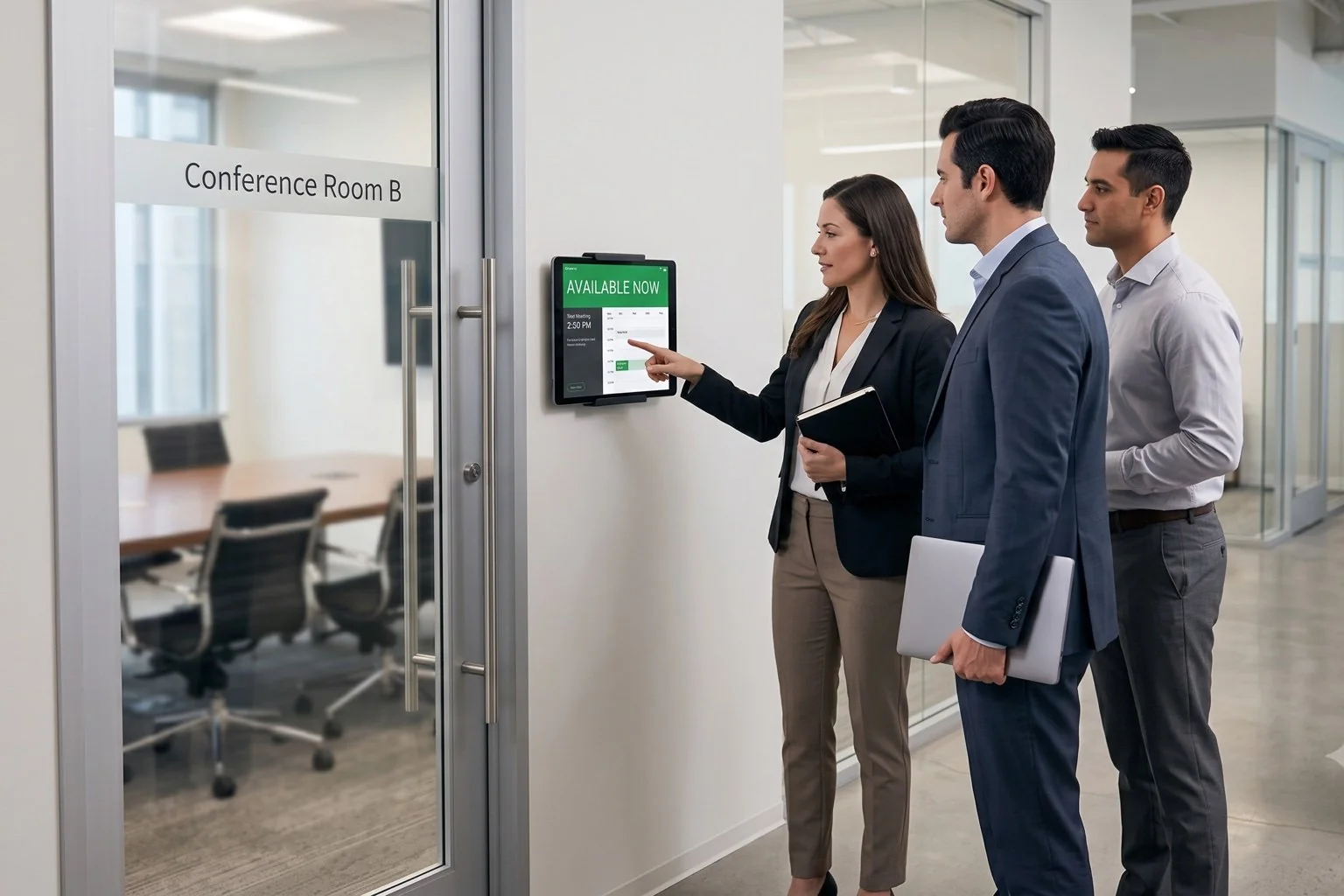
Stop paying $1,500+ per room for proprietary scheduling panels. DAKboard connects the calendars you already use, like Google, Outlook and Office 365, to the screens you already own. Everyone can see at a glance whether a room is free, who booked it, and what's coming up next.
No credit card required. No proprietary hardware. Cancel anytime.
An availability display outside the room, showing status and the day's meetings at a glance.
Trusted on thousands of screens in offices, conference rooms and meeting rooms worldwide.
End the "Is This Room Free?" Interruptions
No More Double-Bookings
Meeting interrupted by a group hovering at the door? A clear availability display outside every room shows the current meeting, who reserved it, and when it ends. It's pulled straight from your Google or Outlook calendar and refreshed automatically.
Skip the Proprietary Hardware Tax
Dedicated room panels from Crestron, Joan, or Robin cost $500-$2,500 per room before subscriptions. DAKboard runs on any device with a browser. An inexpensive tablet, a spare TV or monitor + a $99 DAKboard CPU is all you need.
Make It Match Your Office
Unlike template-locked signage tools, DAKboard's drag-and-drop editor (with custom CSS) gives you pixel-level control. Add your logo and brand colors, show one room's agenda or every room on a floor, and mix in weather, news, or Slack announcements.
Up and Running in Under 15 Minutes

Connect your calendar
Link Google Calendar, Outlook / Office 365 or any iCal feed. Each room's resource calendar becomes a live data source.

Design your screen
Start from a meeting room template or build your own layout. The agenda view is purpose-built for room schedules: event titles, start and end times, organizer, and location.

Display it anywhere
Open your private screen URL on any TV, tablet, or monitor, or plug in a DAKboard CPU for a zero-maintenance, plug-and-play setup. Manage every screen remotely from one dashboard.
Meeting Room Display Software That Does More Than Schedules
Every calendar platform
Google, Outlook, Office 365, iCloud, and any iCal URL. Combine multiple room calendars on one screen or dedicate a display to each room.
Manage a whole office remotely
Bulk screen management, instant display refresh, and a REST API let IT teams update every room display from anywhere. No ladders, no USB sticks.
More than an availability sign
Rotate in company announcements, KPIs, weather, and Slack channels between meetings with Screen Loops and day/time content scheduling, so idle screens keep working for you.
Locked down, not locked in
Password-protected screen URLs, Google single sign-on, and staff accounts with role-based permissions, while your hardware stays yours.
CONFERENCE ROOM A

Room Displays From $5 Per Screen, Per Month
A Crestron panel can cost more per room than ten years of DAKboard. Business plans start at $5/month per screen (billed annually), with a 30-day free trial. One screen design can power every display showing the same layout.
Compare PlansWhy Businesses Choose DAKboard
"It has been immensely helpful to look at several days of upcoming events in list format."
"Reliable and easy to manage remotely, with integration with many different calendars."
Conference Room Display Questions, Answered
What hardware do I need for a conference room display screen?
Any device with a screen: a wall-mounted tablet or TV. If it doesn't have a web browser or isn't connected to wifi you'll also need a plug-and-play DAKboard CPU (from $99).
Which calendars does DAKboard support?
Google Calendar, Outlook / Office 365, Apple iCloud, and any iCal/.ICS feed, including room resource calendars.
Does the display update when a meeting changes?
Yes. Screens refresh automatically from your calendar, and you can push layout changes to every display instantly from the dashboard.
Can one account manage displays for multiple rooms?
Yes. Manage unlimited displays from one dashboard, with bulk management, staff accounts, and an API on the Plus plan.
How does DAKboard compare to Crestron or Joan room panels?
Those systems bundle proprietary hardware at $500-$2,500+ per room plus subscriptions. DAKboard is software-first: bring any screen, pay from $5/month, and customize the layout completely.
Your Conference Rooms, Visible at a Glance
Join the businesses that ditched expensive room panels for a smarter conference room display screen. Set up your first room in minutes, free for 30 days.
Start For Free