
An Agile Dashboard Display for the Wall Outside Standup
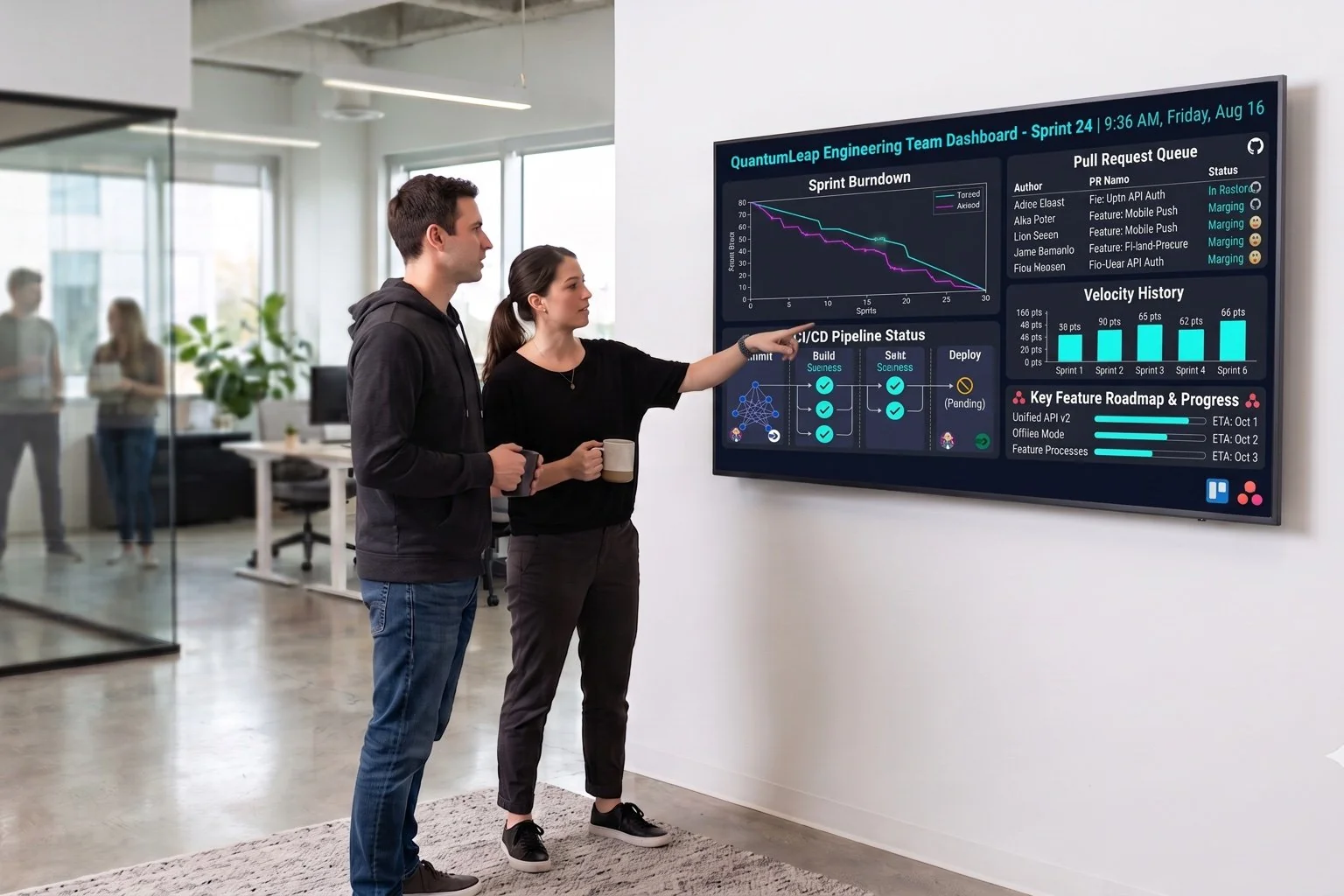
DAKboard turns any TV into a digital scrum board display your team can glance at without opening a laptop. Pull ticket counts and sprint status from Trello or Asana's API into a data block, or embed a published web view, and mount it where engineering actually stands around. DAKboard is the display layer, not a replacement for Trello or Asana themselves.
No credit card required. No proprietary hardware. Cancel anytime.
A wall-mounted sprint dashboard the whole engineering pod can see at a glance.
Trusted on thousands of screens in engineering offices, sprint rooms, and dev team pods worldwide.
Stop Asking "What's the Status of ENG-482?" in Slack
Live on the Wall by Lunch
Grab a read-only token from Trello or Asana and point DAKboard's External Data block at it. No native integration to wait on and no ticket to file with a vendor. Your ticket counts, sprint status, and blocked items can be up on screen the same afternoon you wire it in.
Built to Be Read From Across the Room
A packed kanban board is great at your desk and unreadable from six feet away. DAKboard skips the tiny card text and comment threads and shows exactly what your team needs at a glance: what's open, what's blocked, what's about to slip. The sprint board, distilled for a wall.
Make It Look Like Your Team, Not a Template
Drag blocks into place, skin it with custom CSS, and lay out ticket counts, a burndown, and a countdown to sprint end however makes sense for your pod. Pull in Slack, the weather, or a standup note too, so the screen by standup earns its spot on the wall.
From API Token to Wall-Mounted Ticket System in an Afternoon

Generate a read-only token
Create a scoped Trello token or an Asana personal access token, then set up a small script or serverless function that calls their API and reshapes the response into the flat JSON DAKboard's data block expects.

Point a data block at it
Add an External Data block, paste in your HTTPS endpoint, and choose Bearer Token or Custom Header auth. Set threshold rules so a blocked-ticket count turns red once it crosses your line.

Mount it by the standup spot
Open the private screen URL on any TV, tablet, or monitor with a browser, or plug in a DAKboard CPU if it has neither. The whole pod sees ticket status without tabbing over from their editor.
A Digital Scrum Board Display Built Around Real Data, Not Guesswork
Four ways to authenticate
External Data blocks support None, Basic auth, Bearer tokens, or a Custom Header, matching how both Trello and Asana's APIs expect requests to be signed.
Rules that recolor themselves
Set if/then thresholds on any fetched value so a ticket count sits calm in green and flips red the moment blocked items or overdue tickets pile up.
A countdown to sprint end
The Countdown/Count-Up block can track days left in the sprint and keep running past zero, so a slipping deadline stays visible instead of quietly disappearing.
Manage every pod's screen from one place
Bulk screen management and a REST API on Plus let an engineering lead push a layout change to every team's board at once, no walking the floor required.
SPRINT BACKLOG
SPRINT 14From $5 Per Screen, Per Month
Essential starts at $5/month per screen billed annually (2 screens included, $4/month each additional), refreshed every 30 minutes. Plus starts at $8/month per screen (3 screens included, $5/month each additional), with 15-minute refresh, instant manual push, and the REST API for teams managing several pods. Both include a 30-day free trial, no credit card required.
Compare PlansWhy Engineering Teams Choose DAKboard
"We use Dakboard for our internal work calendars and ticket system for easy glanceability of ongoing work."
Agile Dashboard Display Questions, Answered
Can DAKboard show my live Trello or Asana board on screen?
Not as a direct visual copy of the card UI. Both Trello and Asana restrict which sites can frame their board pages, and DAKboard can't override that. What works well is pulling ticket counts and sprint status through their APIs into a data block, or displaying whatever public web view your tools can expose.
How do I get Trello or Asana data onto a digital scrum board display?
Generate an API token from Trello or Asana, then use a small script or serverless function to call their REST API and reshape the response into the flat JSON format DAKboard's External Data block expects. From there it displays as text, tiles, or a gauge with your own layout.
Is DAKboard a project management tool?
No. DAKboard doesn't create tickets, assign work, or replace Trello, Asana, or Jira. It's the display layer that shows data from those tools on a screen your team can see without opening a laptop.
How often does the sprint data refresh?
Every 30 minutes on Essential and every 15 minutes on Plus, with an instant manual push available on Plus. Treat it as a status overview for standup, not a live click-through board.
What hardware do I need for an agile dashboard display?
Any TV, tablet, or monitor with a web browser. If your screen doesn't have a browser or Wi-Fi, add a plug-and-play DAKboard CPU from $99. No proprietary hardware required.
Get Sprint Status Off Your Laptop and Onto the Wall
Wire up your ticket counts, burndown, and blocked items once, then let the whole pod glance at the wall instead of pinging you in Slack. Free for 30 days.
Start For Free