
DAKboard vs Mango Display What do you actually get before the subscription hits?
A quick template setup and a full household dashboard aren't quite the same thing, especially once you see what's behind the paywall. We break down setup time, features, and real monthly cost for both.

No card needed to start · free for 30 days · leave whenever you want
The bottom line
Both are decent options. They just serve different needs.
Best for flexibility & a genuinely useful free tier
Pick DAKboard if you want real family tools for free, deep customization, and the option of premium hardware.
- Free tier with calendars, to-dos & photos - not just clock and weather
- Pixel-level layout control - drag, drop, resize anything
- Swipe between multiple dashboards - calendar, chores, smart home
- Native smart-home hub - SmartThings, Home Assistant, cameras
- Optional premium wall displays - plans start at $0 ($5/$8 optional)
Best for a quick, simple app setup
Pick Mango if you want a fast template dashboard on a screen you own and don’t mind a subscription for the core tools.
- App for screens you own - Fire TV, iPad, Android, even Echo Show
- Quick 5-minute template setup
- Tap to check chores or edit events - within fixed template boxes
- No hardware sold - you supply the screen
- Calendars, chores & photos need $5.99/mo Pro
A dashboard that adapts to your family, not a fixed template.
DAKboard is a highly customizable wall calendar and dashboard for families who want a home command center shaped around how they actually live, not a preset layout. It connects to over 100 apps you already use, so you can build a screen that:
- Shows every family member’s schedule side by side for the day, week, or month
- Surfaces the weather forecast, local traffic, and package deliveries at a glance
- Keeps a running chore list family members can view or check off on-screen
- Lets you check the thermostat or adjust the lights from the display
- Cycles through family memories pulled from Apple Photos, Google Photos, OneDrive, Dropbox, and more
- Shows what’s currently playing on Spotify or Sonos
And you decide the hardware. Buy a ready-to-hang wall display from us, or run the software completely free on an old iPad, a smart TV, or a spare monitor you already own.
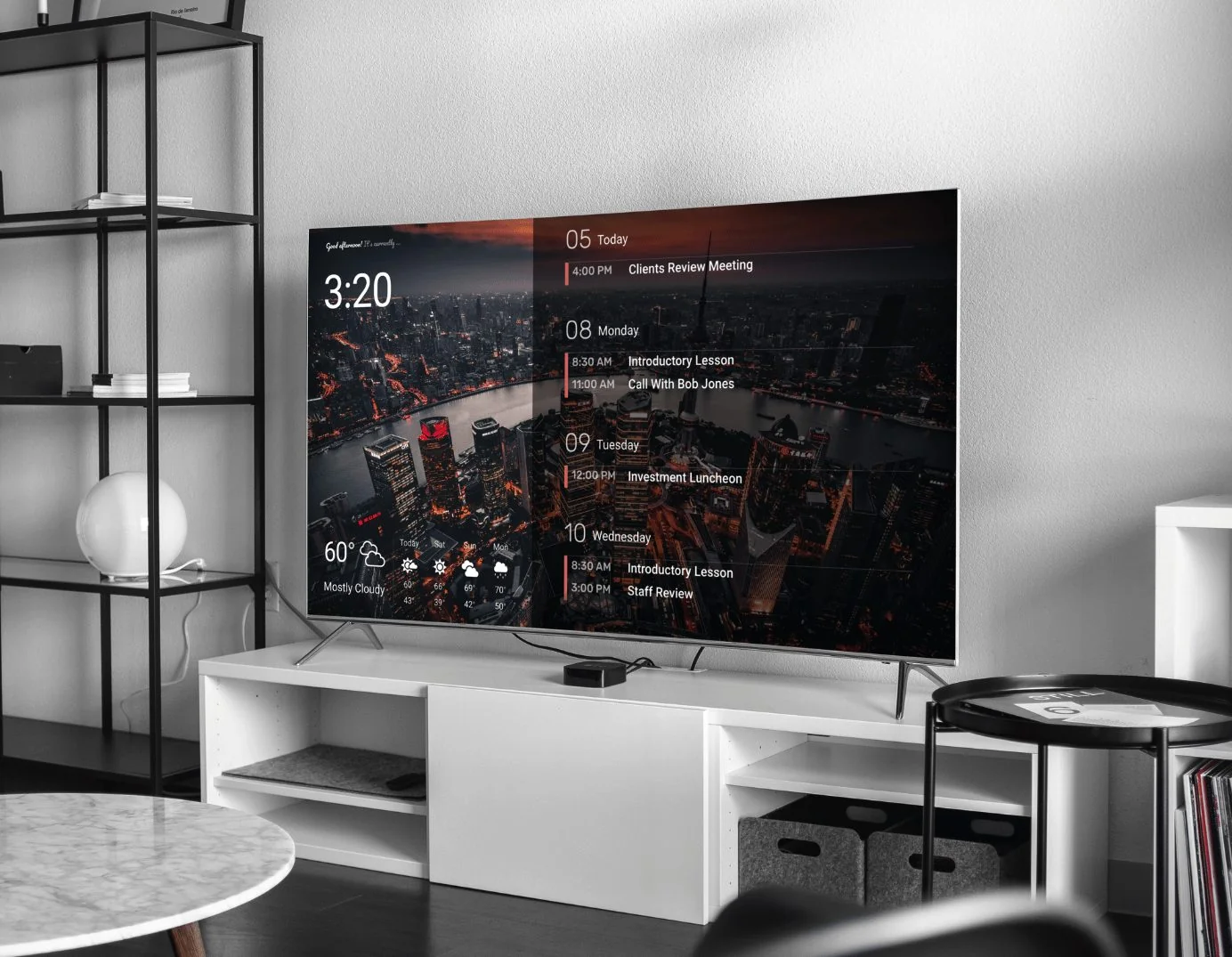

Credit: Mango Display
A software-only app that turns screens you own into a notice board.
Mango Display is a digital-display software app engineered to turn screens you already own into shared household notice boards. Available as a download on Amazon Fire TV, Apple iPads, Android tablets, and even Amazon Echo Show devices, it acts as a digital billboard for basic family data:
- Focuses exclusively on software - it doesn’t manufacture or sell physical monitors
- Drop in pre-built squares (“widgets”) for combined schedules, task lists, weather, and rotating photos
- Emphasizes a quick, 5-minute template setup
- An approachable dashboard for families who want a quick calendar without complex design settings
The trade-off: you supply your own screen, you work within fixed template boxes, and the core family tools sit behind a paid plan.
DAKboard vs Mango Display, side by side
Here’s how they compare across the board. Scroll right on mobile to see everything.
| Feature | DAKboard | Mango Display |
|---|---|---|
| Use your own hardware? | YesiPad, Android tablet, smart TV, laptop, Raspberry Pi - or our wall display. | YesRuns as an app on tablets, TVs, Fire TV, and Echo Show devices. |
| Official hardware available? | YesReady-to-hang, wood-framed 22″ & 27″ Wall Display Touch models, plus media players. | NoSoftware only - you must supply your own tablet, TV, or screen. |
| Upfront hardware cost | Starting at $0Free: a screen you own. Budget ($99.95): CPU Mini for a view-only calendar. Premium ($600+): a luxury wall display. | Starting at $0Free: download onto a tablet or TV you own. Budget ($35): an Amazon Fire TV Stick for an older television. |
| Touchscreen interactivity | Advanced touchTap to add or edit events, check off chores, or swipe to change the entire layout. | BasicTap to check chores or double-tap to edit events - but locked inside fixed template boxes. |
| Free-tier limitations | High utilityFree tier includes full multi-calendar syncing, basic layouts, and photo streams - no charge. | Very restrictedFree tier is only clock, weather, and news. Calendars, chores, and personal photos are locked behind a paid plan. |
| Control over the layout | Pixel-levelDrag, drop, resize, and custom-position any block, border, transparency layer, and font anywhere. | LimitedPre-made template grids. You can swap basic block sizes but can’t fine-tune borders or alignment. |
| Smart-home hub connections | Whole-home hubReal-time status from SmartThings or Home Assistant - toggle lights, adjust thermostats, view live cameras. | NoneNo native hub support - no automated networks or live IP cameras; basic text weather only. |
| Pricing for key features | $0 free planOptional paid plans from $5/mo (Essential) or $8/mo (Plus) only for advanced features. | $5.99/mo paywall$5.99/mo or $59.99/yr Pro is required to unlock family calendars, tasks, chores, and photo backgrounds. |
Mango Display specs and pricing here reflect its published listings and customer feedback, and this table gets revisited whenever either product changes in a meaningful way.
5 ways DAKboard beats Mango Display on real family features
Mango does the basics well. Here’s where DAKboard goes further, for less.
Generous free shared calendars vs. immediate paywalls.
Both platforms advertise “free plans,” but Mango locks the exact features a busy household needs most. DAKboard believes family organization shouldn’t be held hostage behind a subscription.
- Free on DAKboard: sync calendar feeds, create simple to-do lists, check the weather, and stream rotating photo backgrounds from Apple, Google, or Dropbox.
- Upgrade only when you want to - advanced features, 3+ calendars, or multiple screens around the house.
What Mango locks behind Pro
- Family calendars disabled on free - seeing even one schedule requires the $59.99/yr Pro plan.
- Task lists & chore charts are paywalled.
- Personal photo albums are paywalled too - the free tier is only clock, weather, and news.


Total screen flexibility: swipe between multiple dashboards.
Mango lets you tap to add an event or check off a chore, but you’re locked to the same basic page all day. DAKboard turns your wall into a true Multi-Page Command Center.
- Screen-swiping gestures let you navigate between completely different dashboards on demand.
- One swipe shifts from the busy daytime family calendar to a kids’ chore tracker to a full smart-home panel.
- On Mango: the same single layout, all day long.

Deep smart-home automation vs. basic weather data.
If you want your wall display to do more than act as a digital planner, Mango hits a technical wall - no security system, no live video, no real device states. DAKboard functions as the central brain of your house.
- Native, secure connections with Samsung SmartThings and Home Assistant.
- At a glance: see if the garage door was left open, monitor camera streams, check Nest/Ecobee climate, and control lighting zones.
- On Mango: limited to basic text weather indicators - no hub, no cameras.
Complete design freedom to match your home.
Mango relies on standard, block-style widgets that snap into rigid rows and grids. Simple to set up, but you can’t overlap items, create custom borders, or fine-tune boundaries. DAKboard offers a full graphic-design-level canvas.
- Scale font sizes independently and adjust block transparency so background photos shine through.
- Set custom borders and build schedules that switch layout by time of day - a clean morning agenda becoming a relaxing photo frame at dinner.
- On Mango: rigid rows and grids that can’t be fine-tuned to your space.

Beautiful, out-of-the-box luxury hardware options.
Because Mango is strictly software, it can’t help with the physical side - you source the screen, mount, and cord-hiding yourself. DAKboard takes care of everything from software to style, with three ways to set up:


Use a screen you own
Best for
- Trying it for free
- iPad, tablet, or smart TV
Open a web browser on a device you already own and you’re running - just like Mango, but with a far more capable free tier.

Monitor + DAKboard CPU Mini
Best for
- A big view-only calendar
- Budget DIY setups
Plug our $99.95 CPU Mini into any cheap monitor for a large, controlled-from-your-phone wall calendar.

Premium Wall Display Touch
Best for
- A furniture-grade look
- No exposed cords or plastic
Official 22″ & 27″ touch monitors wrapped in luxury wood frames - pre-configured and built to look like framed home decor.
Six households, one app, zero identical screens.
Browse a handful of the layouts other families are actually running, all built on the same underlying software.

A calendar color-coded by person
Pick a color for everyone in the house, then let the kids figure out at a glance which line is theirs.

Design it exactly how you want
Nudge widgets into place, adjust their size, and choose colors that actually match your kitchen.

A grocery list that writes itself
Skip the sticky notes and build the week's menu right there, or link in a planning app instead.

Forecasts, radar, and tide charts
Air quality, ocean tides, and live radar sit right next to the calendar for planning ahead.

Turn the screen into a photo frame
Family pictures and trip photos rotate through on their own, no extra hardware, no extra cost.

Calendar on top, photo memories underneath
This week's agenda floats over changing family photos, part planner, part picture frame.
Get the whole family hub - free.
Put DAKboard on a screen you already own and try it free for the next 30 days. Real calendars, chores, and photos on the free tier - no paywall on the basics, no hardware required to start.