
DAKboard vs MagicMirror Do you want a build project, or a display that just works?
Free, open-source software sounds great until you factor in the wiring, the frame-building, and the config files. Below, we compare the real time and skill each option takes to set up, along with what you get once it's running.

No card needed to start · Free for 30 days · Cancel whenever
The quick verdict
Both work well. They're just built for very different kinds of people.
Our pickBest for everyday families who want it to just work
Pick DAKboard if you want a beautiful, interactive family hub without writing a line of code.
- 5-minute setup - open a browser on any screen, no code, no carpentry
- Point-and-click visual editor - drag, drop, resize, recolor
- Full touchscreen - tap to add events, check off chores, swipe pages
- Full color - vibrant calendars over HD photo slideshows
- Native smart home + zero maintenance - free tier, auto updates
Best for DIY coders & makers
Pick MagicMirror if you love a tech project and want to build and code a literal smart mirror yourself.
- Free & open-source smart-mirror software
- Runs on your own Raspberry Pi behind two-way mirror glass
- The classic floating-text-on-mirror look
- Fully hackable via
config.js+ community modules - Requires coding, frame-building, and ongoing maintenance
A family dashboard that works right out of the box.
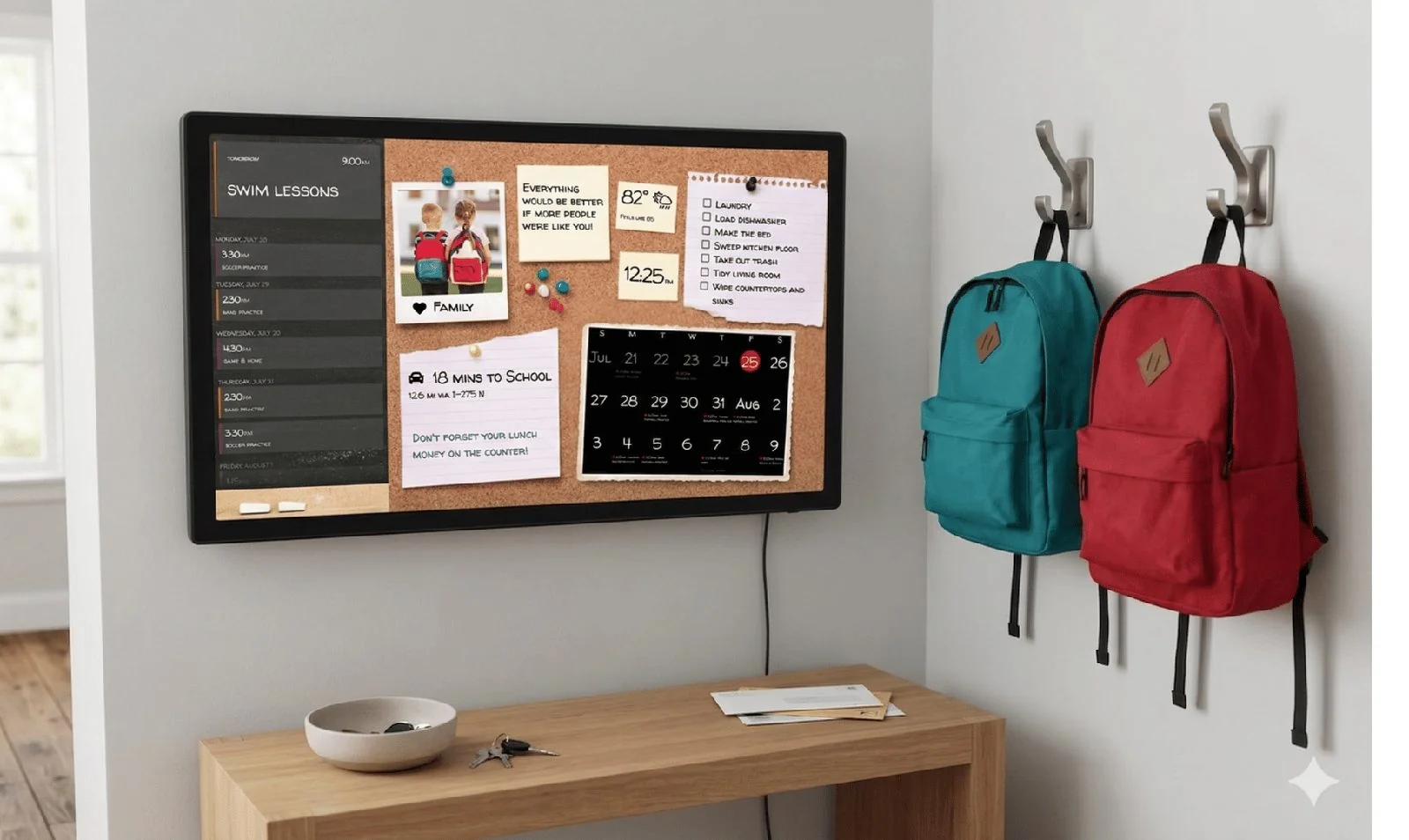
DAKboard is a fully customizable digital calendar and dashboard built for families who want control over their household schedule without touching a line of code. Connect it to over 100 apps you already use through a visual, point-and-click editor, and you can:
- Display multiple family schedules at once, so everyone knows where they need to be that day, week, or month
- Catch the weather forecast, local traffic, and delivery updates at a glance
- Keep a daily chore list on-screen that family members can view or check off
- Check the thermostat or control the lights straight from the display
- Rotate through family photos from Apple Photos, Google Photos, OneDrive, Dropbox, and more
- See what’s playing on Spotify or Sonos right on the screen
And the hardware is entirely up to you: buy one of our ready-to-hang wall displays, or run it completely free on an old iPad, a smart TV, or a spare monitor you already have lying around.

Credit: MagicMirror
A free, open-source smart mirror you build and code yourself.
MagicMirror² is a free, open-source software project built by a global community of developers and tech enthusiasts. Its signature trick is a literal “smart mirror” - place a monitor behind two-way mirror glass and the widgets appear to float on your reflection while you get ready:
- No app store, no user account, and no visual buttons or menus to click
- You act as the programmer - install it with code commands on a Raspberry Pi micro-computer
- Every change, from adding a calendar to changing a font size, is typed into a
config.jstext file - A powerful playground for tech hobbyists - but not friendly for non-technical users
If you love the engineering, it’s wonderfully hackable. If you just want an organized kitchen, the build-and-code requirement is a steep hill.
DAKboard vs MagicMirror, side by side
A full rundown of where each one stands. Swipe sideways if you’re on a phone.
| Feature | DAKboard | MagicMirror |
|---|---|---|
| Use your own hardware? | YesiPad, Android tablet, smart TV, laptop, Raspberry Pi - or our wall display. | YesRuns on your own Raspberry Pi and monitor. |
| Equipment & setup experience | 5-minute setupTurn on any smart device, open a browser, link your screen in seconds. Optional ready-to-hang display or media stick. | Intense DIY projectBuy a Raspberry Pi, a monitor, and two-way glass; build a custom frame; install via a code terminal. |
| How you customize it | Visual drag-and-dropLog in on phone or laptop, drag widgets around a canvas, resize boxes, pick colors with a few clicks. | Manual text codingNo visual editor - open a code file and type screen coordinates, font paths, and variables by hand. |
| Mandatory subscriptions | NoneHighly capable free tier. Optional paid plans for advanced features and customization. | None100% free and open source - download, use, and modify forever. |
| Calendar syncing | Reliable+Google, Apple, Outlook, Yahoo, Cozi, and web calendars. Auto-merges duplicates and hides past weeks. | Yes, with modulesNative .ics / iCal feeds. Multi-person or colorful setups require finding and installing community code modules. |
| Touchscreen interactivity | Advanced touchTap to add or edit events, check off chores, or swipe to change the entire layout. | Hands-free by designBuilt to sit passively behind mirror glass; touching it leaves fingerprints. Touch needs custom wiring. |
| Smart-home connections | Whole-home viewReal-time updates from SmartThings or Home Assistant - thermostat, garage door, lights, right on the dashboard. | Tech-savvy onlyNo official native layouts - search developer forums for community scripts to connect your devices. |
| Software maintenance | Zero workAll software and security updates happen automatically in the background on our servers. | High maintenanceRuns locally on your micro-computer; you patch upgrades manually, and a code change can break your widgets. |
MagicMirror details here come from the open-source project’s public documentation and community modules, and we revisit this table whenever either product changes in a meaningful way.
5 places DAKboard pulls ahead of MagicMirror
MagicMirror is a brilliant hobby project. Here’s where DAKboard pulls ahead for everyday homes.
Point-and-click ease vs. writing computer code.
The biggest difference is who each system is built for. MagicMirror has no graphical interface - moving a calendar or changing a text color means logging into a terminal and typing out coordinates and hex codes. DAKboard is engineered for the everyday household.
- An easy point-and-click interface for customizing layout, text, images, and widgets.
- If you can use a smartphone or order groceries online, you can use DAKboard.
What MagicMirror asks of you
- No graphical interface - you can’t click and drag a widget to move it.
- Edit the code file - type out programmatic screen coordinates and color hex codes.
- Terminal required - every tweak goes through a text-based config file.


Full touchscreen use vs. look-only mirror glass.
MagicMirror is designed to be passive glass - a place to glance at the time or weather while getting ready. Touching it usually just smudges the mirror. DAKboard turns your wall into a fully interactive station.
- Walk up and manage your life - tap to add last-minute appointments and edit event times.
- Check off chores right on the screen.
- Swipe between full pages - from a busy morning schedule to a whole-home smart dashboard.
- On MagicMirror: touching the reflective glass smudges it and isn’t the intended use.

Native whole-home automation vs. unstable community plugins.
To make MagicMirror a smart-home controller, you rely on code written by independent volunteers - and a single update can break the connection until you hunt forums for a fix. DAKboard is a stable, certified brain for your house.
- Direct, secure partnerships with Samsung SmartThings and Home Assistant.
- Display live security camera feeds, adjust climate, check if a window is open, or control lighting from your dashboard.
- On MagicMirror: community plugins can stop working after any software update.
Unlimited color & visual design choices.
Because MagicMirror is viewed through reflective glass, it’s structurally locked to a high-contrast, black-and-white theme - the background must stay pure black so the monitor disappears behind the mirror. DAKboard gives you a full-color canvas.
- Layer vibrant, color-coded schedules over a rotating HD slideshow of your family photos.
- Choose from hundreds of web fonts and adjust individual block transparency.
- Design a warm, inviting display that complements your room.
- On MagicMirror: simple white text on pure black - no rich photos or vibrant color.

Open the box and hang it up vs. a multi-week carpenter project.
Building a MagicMirror is a true construction project - computer boards, a stripped-down monitor, specialized reflective acrylic, a custom shadow-box frame, and wiring power supplies inside a wall cavity. DAKboard meets you wherever you are on the DIY scale:


Open a browser on a screen you own
Best for
- Busy parents
- Non-technical users
An old iPad, an Android tablet, or a smart TV becomes a command center the moment you open its web browser - no build required.

Raspberry Pi + DAKboard OS
Best for
- Tinkerers & makers
- Reusing a spare monitor
Love a DIY engineering project? Run DAKboard on a Raspberry Pi - all the tinkering, none of the mirror-glass carpentry.

Premium DAKboard Wall Display
Best for
- A finished, framed look
- Zero assembly
Pre-framed in high-end wood, fully pre-configured, and designed to plug in and work immediately right out of the box.
No modules, no config files, no soldering iron required.
Every household below built its own layout by clicking and dragging, not by editing JavaScript at 11pm.

A calendar the kids can actually read
Give each person their own color and even a five-year-old can spot which events belong to them.

Point, click, rearrange
Move widgets, resize panels, swap fonts and colors from a browser window, never a text editor.

What’s for dinner, answered before you ask
Type up your own menu or pull one in from Plan to Eat, then let the grocery list follow along.

One glance covers radar, air, and tides
Tide charts, air quality, and radar all show up automatically, no extra setup involved.

A wall that remembers your trips
Last month’s trip and last week’s party show up in the same rotation, completely free to run.

Your agenda, layered over your photo album
This setup puts the weekly schedule on top of a rotating photo background, no design skills required.
Skip the code and the carpentry.
Get DAKboard running free for 30 days on any screen sitting around your house right now. No config files, no mirror glass, no garage build - just a beautiful, full-color, touch-ready family hub in about five minutes.