DAKboard vs Apolosign One touchscreen with two modes, or one dashboard that does it all?
A dual-mode Android tablet and a single unified dashboard solve the same problem in very different ways. We line up the pricing, hardware, and day-to-day experience of both below so you can see which fits how your household actually runs.

No card needed · Free for 30 days · Leave whenever you want
The 30-second verdict
Both are solid choices. They just fit different households.
Best for flexibility & long-term value
Pick DAKboard if you want to use hardware you already own, customize everything, and start for free.
- Use any screen - iPad, smart TV, a $100 monitor + CPU Mini, or our wall display
- 100+ integrations - calendars, photos, smart home, todos, music
- Pixel-level layout control - drag, drop, resize anything
- One unified dashboard - no toggling between tablet modes
- Starts at $0 - generous free tier, no mandatory subscription
Best for tablet-style touch & voice
Pick Apolosign if you want a big Android touchscreen with an app store and voice, and don’t mind buying their hardware.
- Big Android touchscreen - 15.6″, 21.5″, 27″
- Dual-Mode - switch between Calendar Mode & Android Dashboard Mode
- Google Play apps, widgets & built-in voice (Google Assistant)
- Gamified chore points kids cash out for rewards - subscription-free
- Proprietary hardware only - ~$349–$449+, no BYOD
One screen, one dashboard, built your way.
DAKboard is a highly customizable wall calendar and dashboard for families who’d rather design their own home command center than settle for a fixed layout. It links to over 100 apps you already use through a simple drag-and-drop editor, letting you:
- Line up everyone’s schedule side by side so no one loses track of where they need to be
- Pull weather, traffic, and delivery updates into one glance
- Post a daily chore list the whole family can view or check off on-screen
- Check the thermostat or flip on the lights right from the display
- Rotate through family photos from Apple Photos, Google Photos, OneDrive, Dropbox, and more
- See what’s playing on Spotify or Sonos without picking up your phone
As for hardware, that part is on you. Grab one of our ready-to-hang wall displays, or run the software completely free on an old iPad, a smart TV, or a spare monitor.
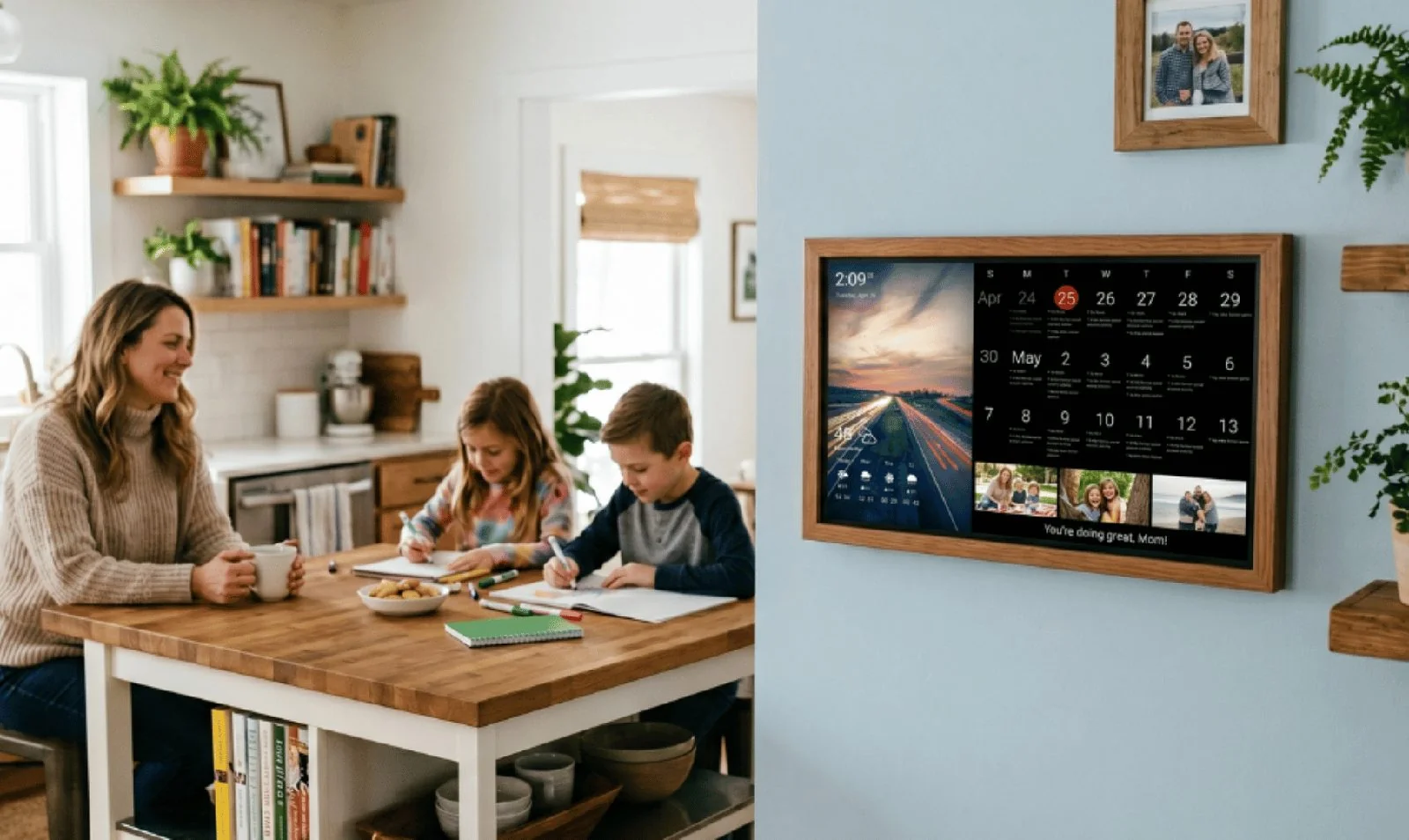

Credit: Apolosign
A dual-mode Android touchscreen calendar and wall planner.
Apolosign is an all-in-one smart digital family calendar and wall planner display, available in 15.6″, 21.5″, and 27″ pre-built touchscreens. Its signature is an industry-first Dual-Mode System:
- Switch freely between a focused “Calendar Mode” (schedules, to-do lists, kid chore charts) and an “Android Dashboard Mode” (widgets + Google Play apps)
- Factory-direct retail model to cut middleman markups on the screens
- Zero Subscription Fees baseline - calendar sync, gamified chore charts, meal planners, and photo walls free for the life of the hardware
- Optional add-on tier that gates premium “AI features”
Since it’s built on an Android tablet base, getting a single unified view means switching between modes, and the hardware only comes from Apolosign.
DAKboard vs Apolosign, side by side
We stack up every category side by side. Scroll right on mobile to see it all.
| Feature | DAKboard | Apolosign |
|---|---|---|
| Use your own hardware? | YesiPad, Android tablet, smart TV, laptop, monitor + CPU Mini - or our wall display. | NoMust buy Apolosign’s proprietary frames; no option to reuse devices you own. |
| Upfront hardware cost | Starting at $0Free ($0): a screen you own. Budget ($99.95): CPU Mini turns any cheap monitor into a view-only calendar. Premium ($600+): a luxury DAKboard wall display. | ~$349–$449+15.6″ ~$349 · 21.5″ ~$449 · 27″ varies by 1080p / 4K. Hardware purchase required. |
| Operating framework | Web-based & lightweightRuns through a centralized cloud server; design on phone or laptop, updates instantly on the wall. | Dual-mode AndroidToggles between a closed family-planning skin and a full standalone Android interface with its own app store. |
| Mandatory subscriptions | NoneHighly capable free tier. Optional paid plans only for multiple rotating layout screens. | NoneCalendar, chore, meal tools, and photo screensavers free forever. Optional paid tier for add-on AI features only. |
| Calendar syncing | Reliable+Google, Apple, Outlook, Yahoo, Cozi, and web calendars. Auto-merges duplicate events and hides past weeks. | YesGoogle, Apple iCloud, Outlook, and Yahoo calendars. |
| Control over the layout | Pixel-levelDrag, drop, resize, and custom-position any block, border, transparency layer, and font anywhere. | LimitedCalendar layout auto-scales. You can add Android-mode widgets but can’t redesign the main calendar’s aesthetics. |
| Chore & reward system | Free & paidClean digital checklist family members view or check off right on the screen (no automated game tokens). | Native & freeBuilt-in child point incentives - kids earn digital stars that parents cash out for real-world rewards. |
| Smart-home connections | Whole-home viewReal-time updates from SmartThings or Home Assistant - thermostat, garage door, lights, right on the dashboard. | Google Home onlyIntegrates with Google Home apps; control devices by voice or by launching standard Android smart-home apps on the screen. |
| Voice assistant support | NoSchedules managed from your phone, laptop, or direct touchscreen typing - avoiding false voice activations. | YesBuilt-in microphone and Google Assistant for hands-free voice event additions. |
Apolosign specs and pricing here come from its published listings and customer feedback, and this table gets revisited whenever either product changes in a meaningful way.
5 reasons families choose DAKboard over Apolosign
Apolosign packs in a lot of features. DAKboard just does more with less friction.
A beautiful unified screen vs. constant tablet-mode flipping.
Apolosign leans on its “Dual-Mode” system for flexibility, but in practice your screen behaves like two separate machines. DAKboard functions as a single, perfectly unified Home Command Center - no modes to toggle.
- Everything on one page. Family photos, multi-person calendars, smart-home controls, weather, and custom checklists are merged elegantly onto a single display.
- Updates itself. The screen refreshes automatically in the background - no opening, closing, or minimizing.
Common Apolosign friction
- Mode flipping - a clean calendar means locking into Calendar Mode; a doorbell, recipe, or lights means swiping into Android Mode.
- Two machines in one - it behaves like two separate operating modes rather than a single unified screen.
- No all-in-one view - there’s no single page that shows your schedule and smart home together.


Skip the proprietary tablet and the upfront cost.
To get started with Apolosign you hit a high financial barrier - their specific hardware frames cost hundreds upfront before you can even test the software at home. DAKboard hands hardware and budget control back to you with three flexible tracks:

Upcycle existing devices
Best for
- Screens you already own
- Spending $0 on hardware
Have an old iPad in a drawer, an Android tablet, or a smart TV in the kitchen? Open its web browser and turn it into a high-end command center instantly - without spending a dollar.

The smart “parent hack”
Best for
- A massive wall display
- Saving vs. a $450 screen
Buy a sleek 24″ monitor for ~$100, plug in our $99.95 CPU Mini, and hang it up - a massive, premium command center for a fraction of the cost.

Premium DAKboard Wall Display
Best for
- A designer, ready-to-hang look
- Plug-and-play simplicity
Prefer a finished piece? Our luxury out-of-the-box DAKboard wall displays arrive preconfigured and ready to mount for a premium, decor-friendly screen.

Infinite customization vs. rigid mobile grids.
Apolosign lets you add smartphone-style widgets in dashboard mode, but its main calendar layout is rigid - you can’t easily scale fonts, resize blocks, or shift columns. DAKboard is a full graphic-design platform editor.
- Photo loop on the left half, a vertically scrolling agenda on the right? Build it down to the exact pixel.
- Pick unique fonts, control opacities, and configure multiple rotating layout loops to match your decor.
- On Apolosign: text-heavy layouts that are hard for pre-readers, with no way to fully overhaul the design.
Advanced, native smart-home orchestration.
Apolosign treats smart-home management like a tablet - Google Assistant voice or a Google Home app overlay - without weaving it into your family schedule. DAKboard is engineered as an environmental smart-home terminal.
- Hooks directly into Home Assistant & Samsung SmartThings via secure API integrations.
- Display real-time sensor info - device battery levels, motion alerts, weather-station telemetry - inline with your schedules.
- View live security camera feeds right alongside your daily checklists.
- On Apolosign: smart home lives in a separate app overlay, not the design canvas.


High-performance, zero-maintenance stability.
Because Apolosign runs a heavy local Android OS, it can suffer typical tablet slowdowns - multi-step manual entries, background app updates, cache buildup, and PIN prompts on the wall unit. DAKboard relies on lightweight, server-side configurations.
- All edits happen securely on your phone or laptop; the wall display simply streams the clean, optimized output.
- A stable, lightning-fast terminal that never suffers from local app crashes or system lag.
- On Apolosign: ongoing phone-style upkeep - updates, cache clearing, and occasional slow input.
One piece of software, endless layouts.
The software is identical. What people build with it never is.

One shared calendar, color-coded per family member
Assign each family member a color, and suddenly the kids know at a glance which events are theirs.

Rearrange everything to your taste
Slide widgets around, stretch or shrink them, try new fonts and colors until the layout feels custom-built.

Meals mapped out before Monday hits
Build the week's menu inside DAKboard, or connect a planning app and let the grocery list follow.

Weather that covers more than temperature
Families near the coast get tide charts and air quality readings alongside the usual radar.

A slideshow of your own memories
Set it once and let years of photos drift across the screen whenever nothing else needs it.

A calendar with a photo backdrop built in
Photos rotate quietly in the background while the schedule stays front and center.
Skip the dual-mode wall tablet.
Test-drive DAKboard free for a full 30 days on a screen you already own. No credit card, no proprietary hardware, and no mode-flipping - just one unified screen that starts at $0.